
Building QR Reader Light: My First Android App

December 3, 2025
At Tag1, we believe in proving AI within our own work before recommending it to clients. This post is part of our AI Applied content series, where team members share real stories of how they're using Artificial Intelligence and the insights and lessons they learn along the way.
Here, Ra Mänd (Developer) shares how he used AI assistance with Claude Sonnet 4 to build QR Reader Light, a minimalist Android QR scanner. The project shows how AI can help accelerate development, reduce repetitive work, and allow developers to focus on design and usability, even when learning a new framework.
Frustrated with Existing QR Apps
I built QR Reader Light because I was frustrated with how cluttered and slow most QR apps on Android have become. A simple QR scan should be instant, but most apps load ads, route you through in-app browsers, or make you navigate a history manager. All of that adds unnecessary steps to something that should take one second.
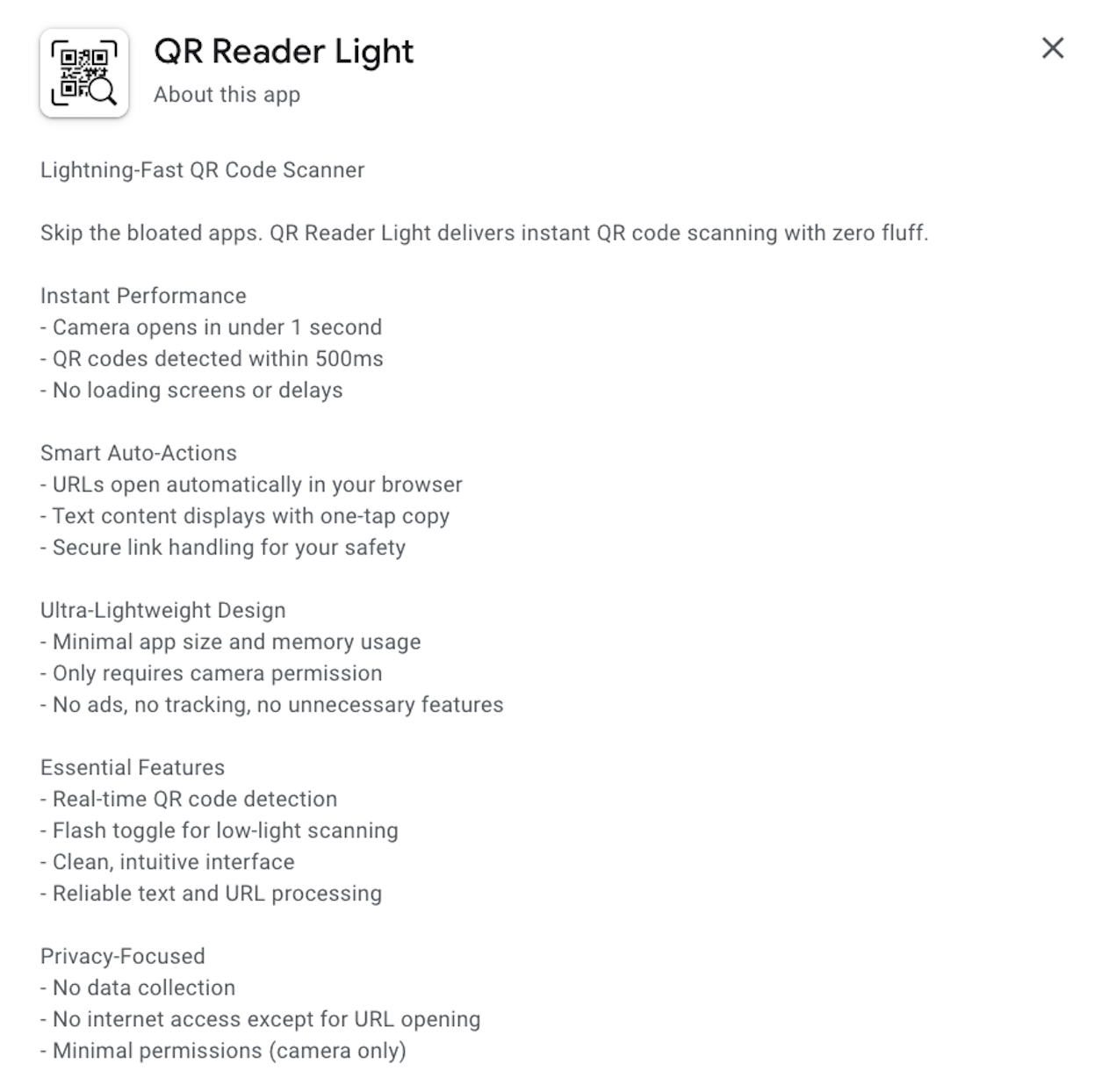
QR Reader Light is a minimalist Android app built to avoid all that. It opens scanned links directly in your browser with no extra steps. I also wanted to publish my first native Android app on the Google Play Store (Figure 1) while exploring Android development and using AI to help with coding.
What I Wanted to Solve
Most QR readers try to do too much. Extra features just get in the way. I wanted speed and simplicity: scan a QR code and immediately open the URL.
This was also a personal challenge. I had experience with React Native but had never worked with Kotlin or Android Studio. I wanted to see if AI could help me move faster while keeping the design focused on extreme minimalism.
How I Built It
AI played a central role throughout the development of QR Reader Light, acting as more than just a code autocomplete tool. I used the Cline plugin in VS Code, which allowed me to work with Claude Sonnet 4 while keeping a memory bank of prior instructions and constraints. This memory feature helped keep the AI aligned with the minimal, lightweight approach I was aiming for.
I started with a prompt asking it to create a full QR scanning app that would open URLs in the default browser, not just individual components. From there, it was to generate, test, find issues, refine, and repeat. I guided the AI to replace heavier defaults with lighter alternatives, remove unnecessary UI frameworks, and optimize permissions handling for different Android versions.
All of the code was mainly handled by Claude. When build or runtime errors appeared, I shared logs and error messages, and the AI suggested fixes. Some solutions worked immediately, while others required adjustment or manual implementation. Over time, I just kept going back and forth from, generate, test, fix, until things behaved the way I wanted. It let me move fast while still keeping full control over the design and behavior of the app.
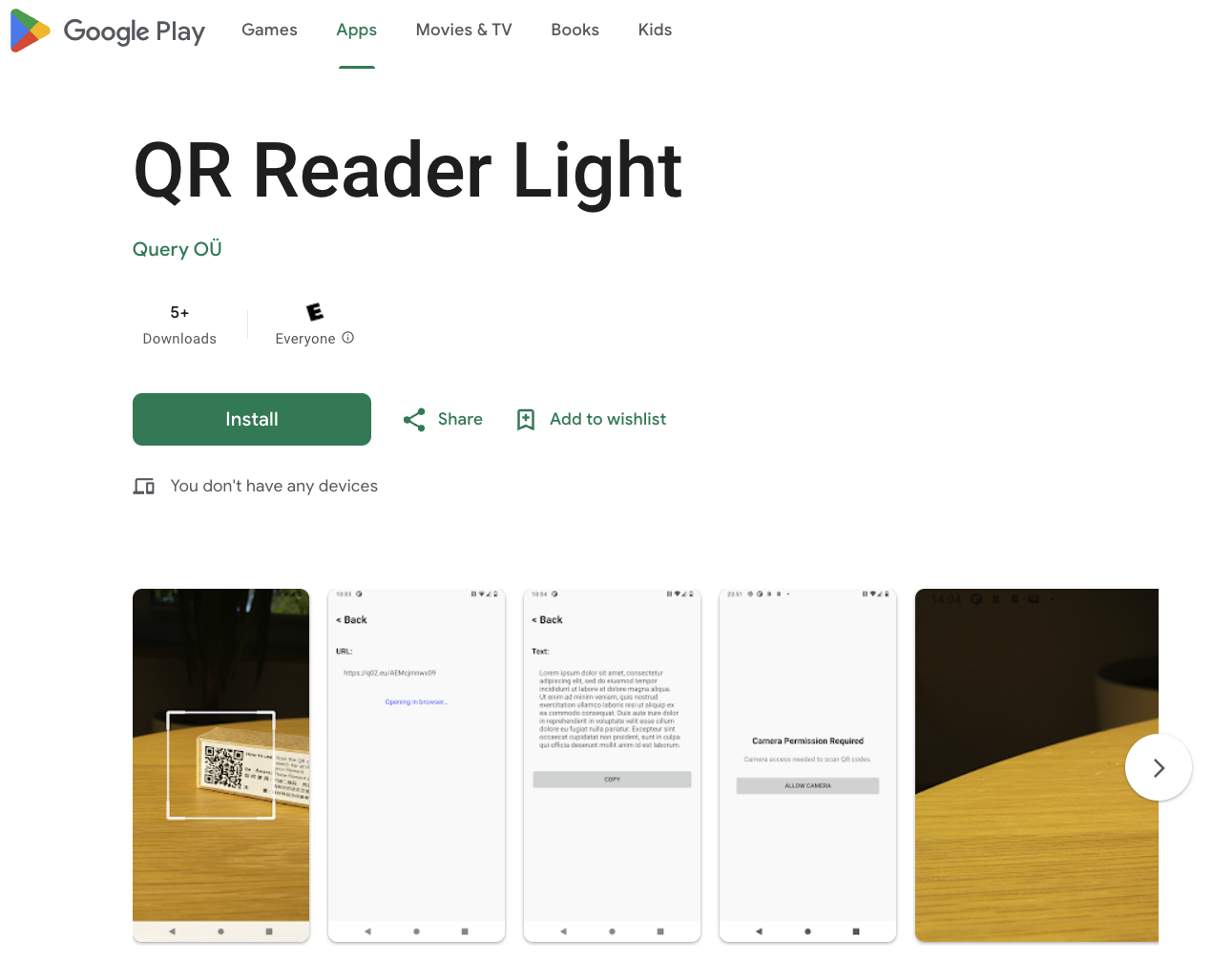
The app is live on the Play Store, visit: QR Reader Light on Google Play (Figure 2)
What Came Out of It
The project resulted in a fully functional, published QR scanning app delivered in about 10 to 20 hours of focused development. This was my first time in Android Studio with Kotlin, so it was a hands-on introduction to native Android development. I did not have to read or learn Kotlin in depth. Without AI, this project would have taken multiples longer.
Some things I learned:
- AI cuts down time spent on boilerplate
- Debugging goes faster when you can share logs directly
- You still need to check everything, AI does not always get it right
- Clear constraints make a big difference
The biggest takeaway is that AI can help you learn a new framework fast, but it does not replace your judgment. You guide it, correct it, and keep it aligned with the goal.
Where This Approach Works Well
The workflow I used, AI assistance with clear constraints and testing in small steps, works well for building small helper apps. You do not need to build something large to get value. Lightweight apps can be created quickly without big frameworks or extra services.
This same approach works well for any team that needs simple, focused tools, like quick scanners for events, lightweight utilities for inventory checks, or small MVPs to validate an idea. You do not need heavy infrastructure to build something useful.
For clients, the takeaway is that this method makes it easier to build small apps without a big investment. You can build, test, publish, and iterate with minimal overhead.
This post is part of Tag1’s AI Applied series, where we share how we're using AI inside our own work before bringing it to clients. Our goal is to be transparent about what works, what doesn’t, and what we are still figuring out, so that together, we can build a more practical, responsible path for AI adoption.
Bring practical, proven AI adoption strategies to your organization, let's start a conversation! We'd love to hear from you.