
Keeping Open Source Projects Alive and Current With Claude Code Scheduled Tasks

April 8, 2026
At Tag1, we believe in proving AI within our own work before recommending it to clients. This post is part of our AI Applied content series, where team members share real stories of how they're using Artificial Intelligence and the insights and lessons they learn along the way. Here, Scott Hadfield, Senior Engineer & Project Lead, shares how a close call with a wildfire in a National Park led him to build Treksafer, a free public safety tool for backcountry travelers.
Wildfires and an Abrupt Change of Plans
The summer of 2024 was a bad season for wildfires in the Canadian Rockies. Some friends and I were starting a multiday hike through Yoho National Park when we spotted a small red dot on the wildfire maps, marking a small fire, right in the middle of our route, just outside the park boundary. Parks staff didn't know about it yet, and we couldn't find much information. By the end of day two, a massive plume of black smoke was rising over the pass we were headed for. The next morning the smoke had shifted with the wind, but we were able to message a friend through our Garmin inReach and learned that two hikers had been heli-evacuated from the same trail the day before. We turned around and were able to warn several other groups who had no idea.
Building the First Proof of Concept
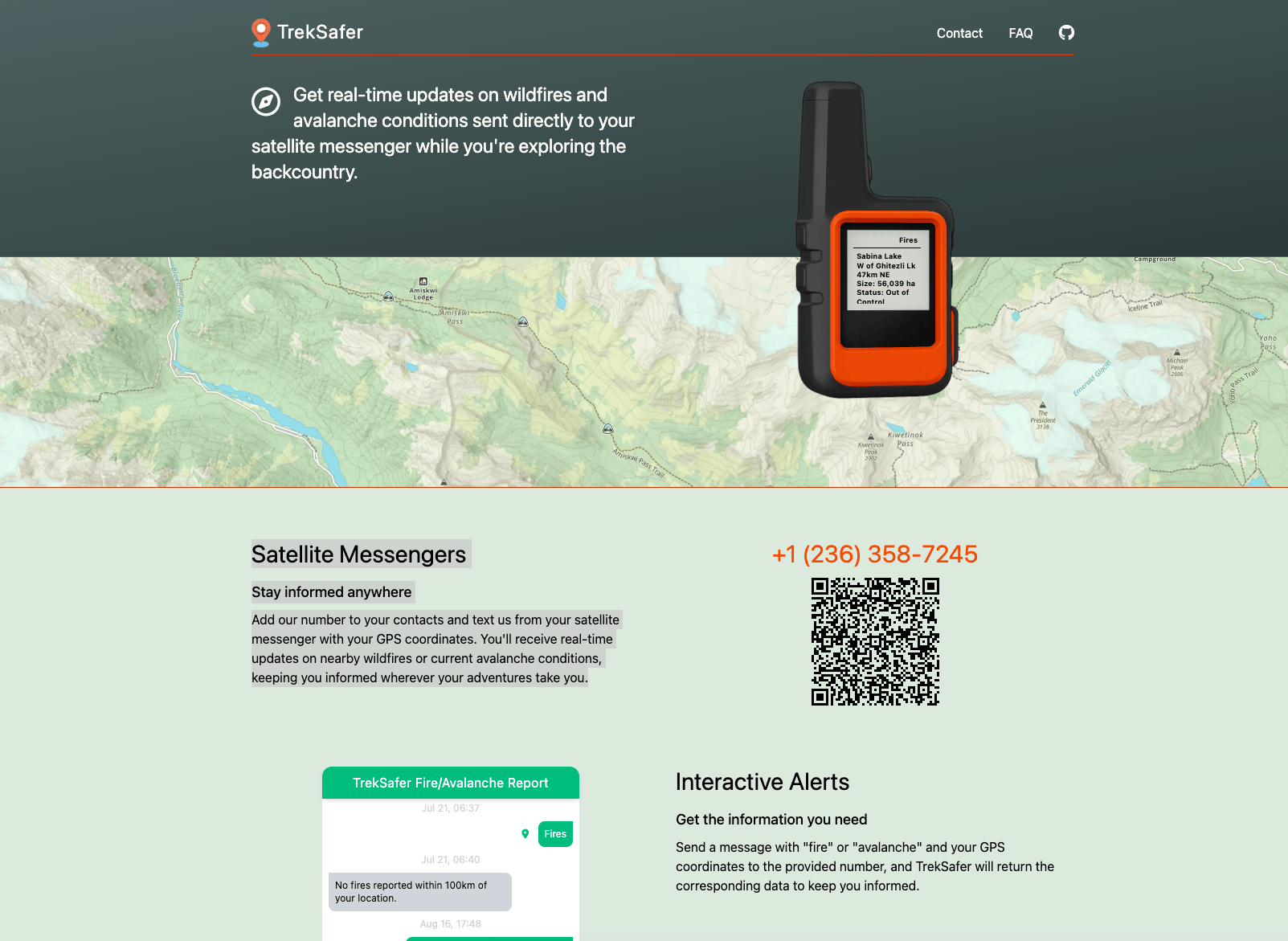
With some time off work after my trip getting cut short, I built a proof of concept linking public wildfire data via SMS, now called Treksafer. I had some positive feedback after launching, including feature requests and offers of financial support from backpackers who were using it. Short on time as usual, I tried using AI-assisted development to build out some of those features, including a filtering system to surface more useful data. The results were mixed. I spent too much time coaxing the AI away from duplicating code and ended up rewriting the filtering logic myself to get something cleaner and more robust.
Bringing Avalanches Into Scope
I'd also wanted to add support for avalanche forecasts, but the use-case is narrower as most winter backcountry users have cell service before they head out and rarely do more than a day trip. This would primarily benefit multiday trips where getting the daily forecast is not possible. Though the code itself wasn't particularly complex, it required integration of a completely different dataset, different geolocation logic, and a different output format. Over the past thirty years, avalanche incidents have remained relatively static while backcountry use has grown dramatically. This shows that education and access to information plays a real role, so despite the niche use-case for the feature I was still keen to build it out. And as more and more networks and cell phones support satellite messaging, the niche will likely grow.
The Leap Forward with 2025’s Coding Models
The AI coding models released in late fall 2025 were good enough to build out features in small to mid-sized apps with minimal oversight. I spent a day figuring out where to get avalanche forecasts across North America and used Claude to build out the full integration. While the code was solid, it only solved half the problem - ongoing maintenance was a real reason to be hesitant and would've normally killed the idea. Scheduling tasks with AI solves that. For Treksafer, I have a daily Claude Code task that audits dependencies, flags security issues, creates PRs for fixes, and alerts me to any new issues or PRs from other users. I don't need to touch the project until something actually needs a human decision.
Automating Maintenance with Claude
This setup isn't specific to Treksafer, it works for any project you want to keep healthy without babysitting. If you're running solo projects or maintaining open source on the side, here's roughly how I've set it up:
- I have a
CLAUDE.mdand dependency audit skill committed to the project. - I use a scheduled task (https://claude.ai/code/scheduled) with a GitHub token configured in its environment that runs at 9am each day and notifies me if there are any updates needed or issues/PRs created. The task looks roughly like this:
You are a project maintenance assistant. Perform the following
checks on this repository and report ONLY if there is something
actionable.

1. ISSUES: Run `gh issue list --state open --json number,title,createdAt,labels`
   and identify any issues opened in the last 24 hours.

2. PULL REQUESTS: Run `gh pr list --state open --json number,title,createdAt,author` and identify any PRs opened in the last 24 hours.

3. DEPENDENCIES: Use the dependency-audit skill in .claude/skills/dependency-audit/SKILL.md to audit Python dependencies. Follow its steps for vulnerability scanning, outdated package checks, and dependency tree analysis. Create a PR on a claude/ branch for any security-critical fixes. Non-critical updates go in the summary only.

4. NOTIFICATION: If ANY of the above checks found something (new issues, new PRs, available updates, or security fixes), send an email to [your email] via Gmail with the subject line "[repo name] — daily monitor" and a short bulleted summary grouped by category. Include links to any PRs you created.

If ALL checks come back clean with nothing new, do NOT send any email. Stay silent.
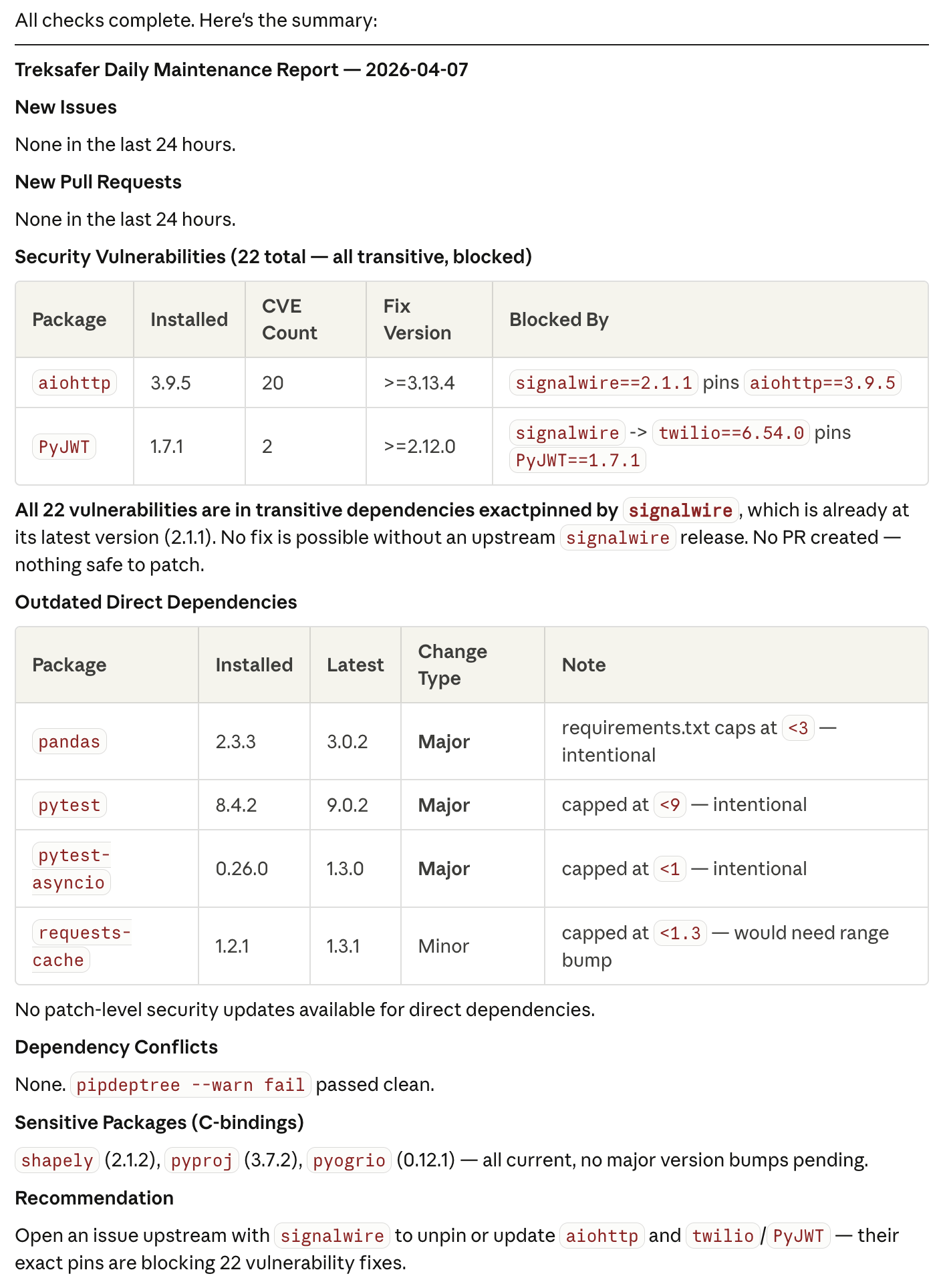
Each scheduled task run generates a report I can review on the dashboard. The results look something like this, and I can choose to act on individual items or ignore them.
Keeping Human Judgment in the Loop
I prefer to keep Claude on a short leash. Creating PRs but not merging, reading issues but not responding. Protected branches and read-only permissions mean I stay in the loop for anything that I ship. For a safety tool I feel it's especially important to keep a human touch.
A Side Project That Can Last Forever
The entire service runs on a $5 VPS with per-message SMS costs in the pennies. With AI handling the day-to-day babysitting, I can offer Treksafer for free, indefinitely, without worrying about it slowly rotting while my focus is elsewhere. This used to be the thing that killed side projects - the quiet accumulation of outdated dependencies, security advisories, and stale PRs that all felt like chores to investigate and deal with. That's not a problem anymore.
This post is part of Tag1’s AI Applied series, where we share how we're using AI inside our own work before bringing it to clients. Our goal is to be transparent about what works, what doesn’t, and what we are still figuring out, so that together, we can build a more practical, responsible path for AI adoption.
Bring practical, proven AI adoption strategies to your organization, let's start a conversation! We'd love to hear from you.
Related Insights
-
/