
Using AI to Upgrade a Simple Frontend VAT Tool

January 8, 2026
Slovenian tax authorities recently introduced new VAT reporting requirements. Data now needs to be submitted in a specific XML format they defined just for this task, while my accountant keeps everything in Excel. A while ago I wrote a small frontend application that converts data from Excel files into the required XML.
I am not a really good front-end developer, so I used AI to build that first version of the app. I relied on Grok through the web chat interface, which saved me a lot of time and unblocked me whenever my lack of experience with modern JavaScript got in the way. The result was a vanilla JavaScript in-browser application that did what I needed it to do, but it was far from perfect. The code was not optimal, I was not using any frontend framework, and all the logic lived in a single monolithic file. It worked, but it was obviously due for an upgrade.
Step 1: Modularizing and converting to TypeScript
As part of this new project, I decided to address those issues. This time I used Claude CLI. After starting it in the project directory and letting it get familiar with the code (/init command), I asked it to suggest improvements I should implement. The list was quite exhaustive and one of the top items was to modularize the JavaScript code and convert it to TypeScript. I agreed and asked AI to help me do that.
The result was a complete refactor of the application code. It was now split into various modules and converted into TypeScript. I started the application and tested it and it was still working for the most part. It had a few minor bugs that were cosmetic in nature. All in all I was happy with the help that AI provided. It quickly completed a tedious and boring task that I would have probably avoided for quite some time.
From a learning point of view, this was useful. I could compare the old version and the new TypeScript version side by side and see what modularization and typing look like in a real project I care about.
Step 2: Converting the app to VueJS
I was happy with the result, but the app still did not use any frontend framework. I decided that I should try to solve that as well. For this step I switched back to the original version of the application, before converting it to TypeScript. This time I asked Claude to modularize it and convert it to VueJS.
The result was pretty similar to the TypeScript refactor. I was happy with it, the app still worked for the most part, and there were a few minor bugs that I was happy to fix manually. Given my lack of experience with JS and VueJS, doing this kind of migration on my own would have taken a lot of time. With AI, I could get a working VueJS version and then spend my time on understanding and fixing the remaining issues instead of writing everything from scratch.
At this point, my plan was to use the VueJS version as the base for future improvements.
Step 3: Trying Elm (and hitting limits)
I am a big fan of functional programming and I have had Elm on my radar for a long time. This seemed like a great opportunity to try it. Elm is designed for frontend applications, but it is a completely different language than JavaScript. It comes with its own ecosystem and, while it is possible to implement interoperability with JavaScript, npm packages cannot be used by Elm directly.
Similarly to the previous steps, I asked Claude to convert my application to Elm. This time it took significantly longer. I could see how AI often hit a dead end and had to retract and try different things. There was a lot of trial and error.
Eventually it produced a result, but it was clear that it omitted some of the most important features, like uploading and parsing Excel files and downloading the XML file. When I started it I was presented with the UI, but none of the logic seemed to be working, which made sense since Claude had told me it did not implement that part.
OK… a good first starting point. I continued with a second prompt, this time asking it to implement the Excel parsing. It correctly concluded that, in order to achieve that, it would need to implement JS interoperability. It did that and the parsing seemed to be working. I also noticed that it created a separate HTML file that was a demo of the functionality built in this step. Since I did not ask for that I found it interesting and a nice gesture.
Next I asked it to implement uploading of Excel files and to pass uploaded files into the parser. It successfully did that and created a demo HTML file once again. But I also noticed that the application started drifting in the wrong direction. Suddenly it assumed I would be uploading CSV files instead of Excel. The format of the output XML changed to the point that it did not resemble the required structure anymore. At this point I decided that this is a dead end and stopped trying.
It feels that VueJS is a better path forward for this particular app. I am not exactly sure why Elm caused so many problems for Claude. My speculation is that it is because Elm is much less common and has its own ecosystem, so it is harder for AI to follow the same patterns it used for JavaScript and Vue.
Step 4: Improving styling with AI demos
During all this I noticed one thing. The demo HTML files that Claude generated were getting increasingly better looking than my app. I never claimed to be a design person.
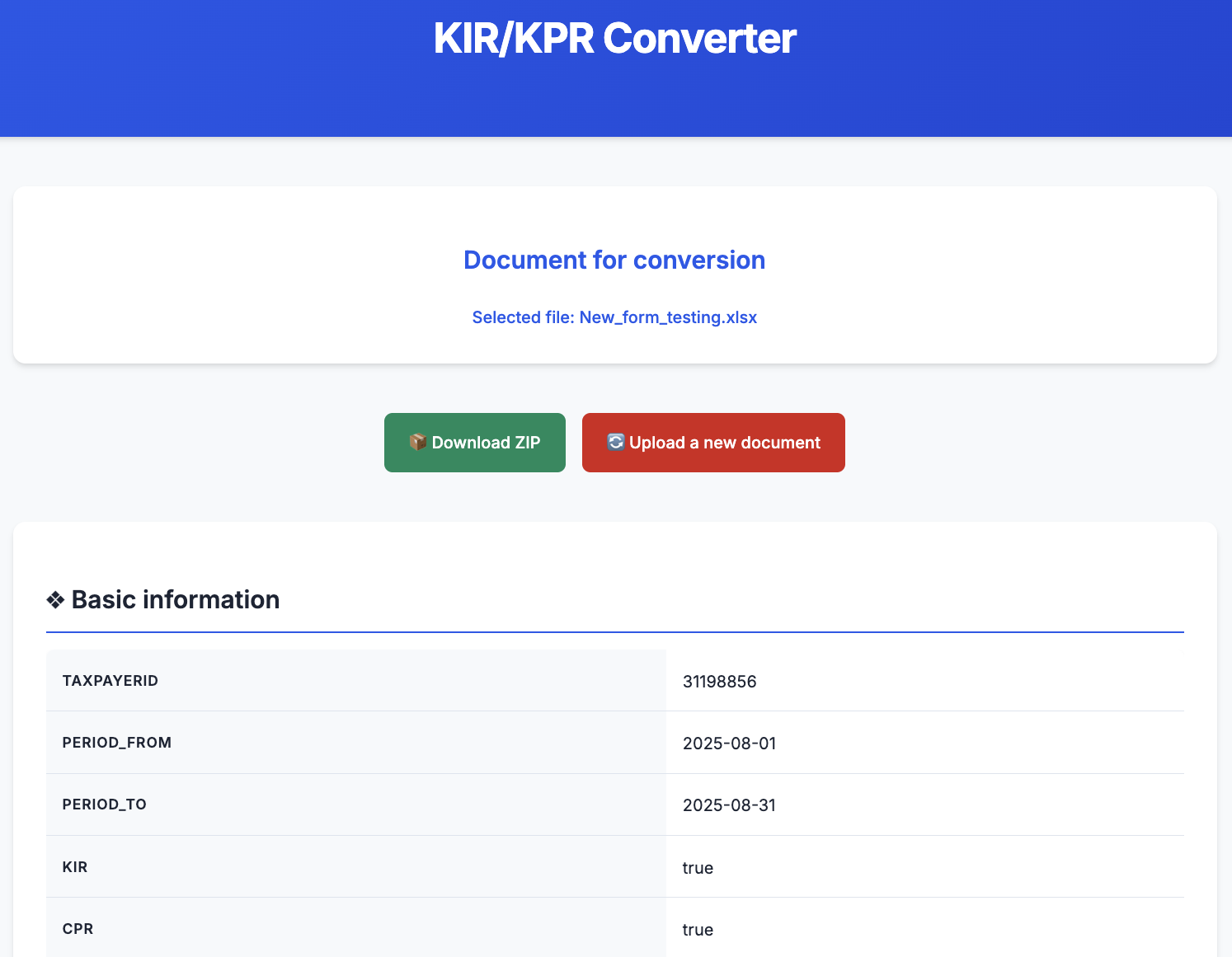
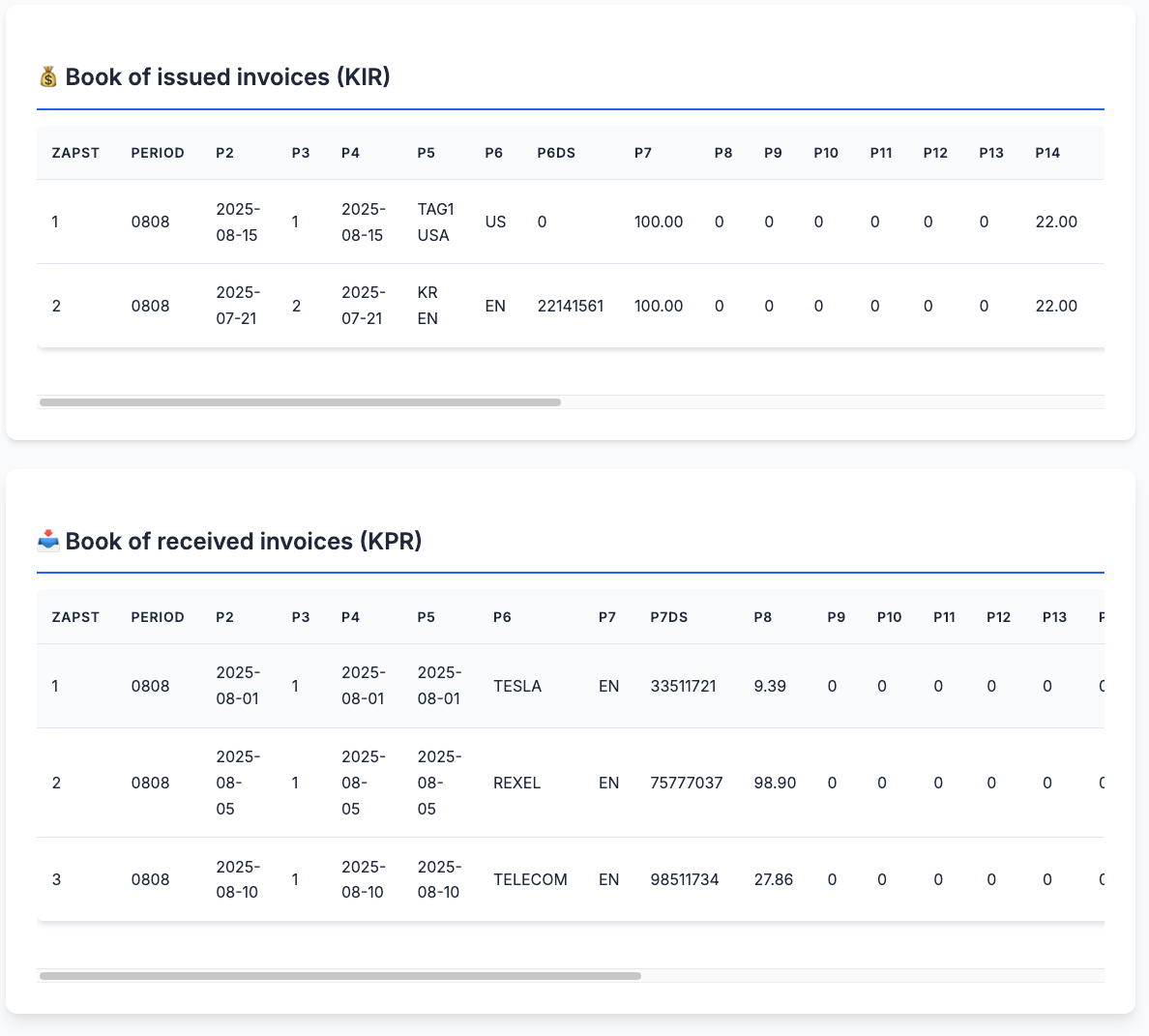
So I decided to ask Claude to take the styling from the demo files and apply it to the original application. I got great results back. I repeated the same prompt on my VueJS branch and now I have an application that uses a modern web framework, is built in a modular fashion, and looks significantly better than before. I will take this any day. The tool is live at https://slashrsm.github.io/kr_converter/.
What I learned from this experiment
This entire project was a lot of fun and very educational. It clearly showed that AI can help with repetitive, mundane, and tedious tasks. It helped me achieve a result that is a big improvement over what I had at the beginning, both in terms of structure and in how comfortable I am working with the code.
It also demonstrated that AI is not perfect. It can get stuck and generate results that are not satisfactory or are just plain wrong. The Elm experiment is a good example of that.
For me the answer is balance. A human developer and AI should work together and complement each other. AI is good at refactors, boilerplate, “try this 10 different ways” experiments, and even coming up with nicer looking HTML and CSS. The human still needs to keep an eye on correctness, keep the project focused on the actual requirements, and decide when something is a dead end.
How this could be useful for clients
I did this for a small personal utility, but the same pattern could be useful in client projects. It could help take an old, messy JavaScript tool and use AI to modularize it and move it to TypeScript. It could help scaffold a VueJS (or other framework) version of an existing utility, then refine it by hand. It could also help quickly test ideas in less familiar ecosystems or languages and decide early if they are worth the effort.
Anywhere there is repetitive frontend work, legacy browser tools, or small internal apps that nobody really wants to touch, AI can help make improvements less painful and easier to justify.
This post is part of Tag1’s AI Applied series, where we share how we're using AI inside our own work before bringing it to clients. Our goal is to be transparent about what works, what doesn’t, and what we are still figuring out, so that together, we can build a more practical, responsible path for AI adoption.
Bring practical, proven AI adoption strategies to your organization, let's start a conversation! We'd love to hear from you.
Related Insights
-
/