
Syncing Two AI Assistants Without Letting Them See Each Other

September 2, 2026
For the past few months I've been managing my workday with Jesse, the AI assistant written by Tag1's CEO Jeremy Andrews. My previous Jesse post was about learning to use it by actually using it. But that's just the assistant I now call "Work Jesse." (Catchy, I know.) Work Jesse lives on my Tag1 laptop and uses Tag1's Claude account to keep me on top of my tasks.
Meanwhile, my personal life had no system at all - and plenty to stay on top of. So I set up a second vault: same architecture, same instruction file format, separate data. "Personal Jesse" runs on my home MacBook and uses my own Claude Pro account. The work vault syncs through Obsidian Sync, but my home setup is all Apple, so the easiest way to keep my vault on both my MacBook and my phone seemed to be the iCloud Drive syncing that comes built in.
Keeping them separated was easy, but getting the two of them to share what they needed to share turned out to be an adventure that took me through iCloud filesystem conflicts, a confidently hallucinated settings page, and a run of platform surprises before the simple thing I wanted finally worked.
Two Jesses, One Human
The main thing I wanted my vaults to share was methodology. To make Jesse feel like the same assistant in both places, the handful of guideline files I'd refined over months of daily use - how I want research cited, how I want my writing to sound, how my morning brief gets structured - needed to apply everywhere. None of that is Tag1-specific and none of it's especially private; it's just what I've learned about making Jesse useful to me. It couldn't be a one-time copy and paste, though. To paraphrase my previous post, Jesse gets better at helping me every time I tell it what I actually need. That means guidelines are always evolving and need to stay in sync.
I also wanted my personal appointments and reminders visible during the workday without having to context-switch into the other vault, but not the full details. Work Jesse's vault is tied to my Tag1 account, and my mortgage research and my parents' medical notes are especially private, so they don't belong there.
Obviously, I turned to Jesse to help me brainstorm a solution. What we landed on was two narrow channels across the boundary.
Guidelines flow both ways. Whenever I refine one, the change should reach both vaults on its own, whichever side I made it on: a tweak from the couch on Saturday is what Work Jesse reads on Monday, and a fix at my desk shows up at home the same way. To keep myself organized, everything runs off a manifest - a file listing exactly which guidelines can sync. Anything not on the list stays local. If I write a personal-only guideline for managing household projects, it stays home unless I deliberately add it. Nothing crosses by default or by accident.
My personal appointments only travel one way. Personal Jesse runs briefly each weekday morning to write a short file with my time blocks and reminders and the work vault weaves them into my day as part of my morning routine. It provides enough information to keep me clear - "Call with bank, 2:00" - but never specific details I wouldn't be comfortable with a colleague glancing at.
I was opinionated about one more thing from the start: neither Jesse should depend on the other to get its work done. Each should look for whatever's newest, take it if it's there, and otherwise just get on with the day. Neither vault should ever wait on the other, nor care whether the other had run.
That was the design. Building it was the next question: moving files between two vaults, on two machines, under two accounts that are never supposed to see each other.
Why a Git Repo and Not Symlinks
When I described all this, Jesse's first proposal was a shared directory on disk with symlinks from each vault pointing into it. Dead simple, instant propagation... and exactly the filesystem-level coupling I'd just said I didn't want. I countered with a small private git repo, and the more we talked it through the better it fit: versioning is git's whole purpose, either vault works fine if the other hasn't run in a week, "is there anything new?" is a solved problem, and there's no filesystem dependency between two machines that will never see each other.
We set the repo up as a transport layer rather than a working directory: shared guidelines live in the repo but get copied into each vault during sync, and the copies are what the assistants actually read. The manifest controls what syncs, the handoff flows one direction only, and if the config file is missing, Jesse skips the whole thing without complaint.
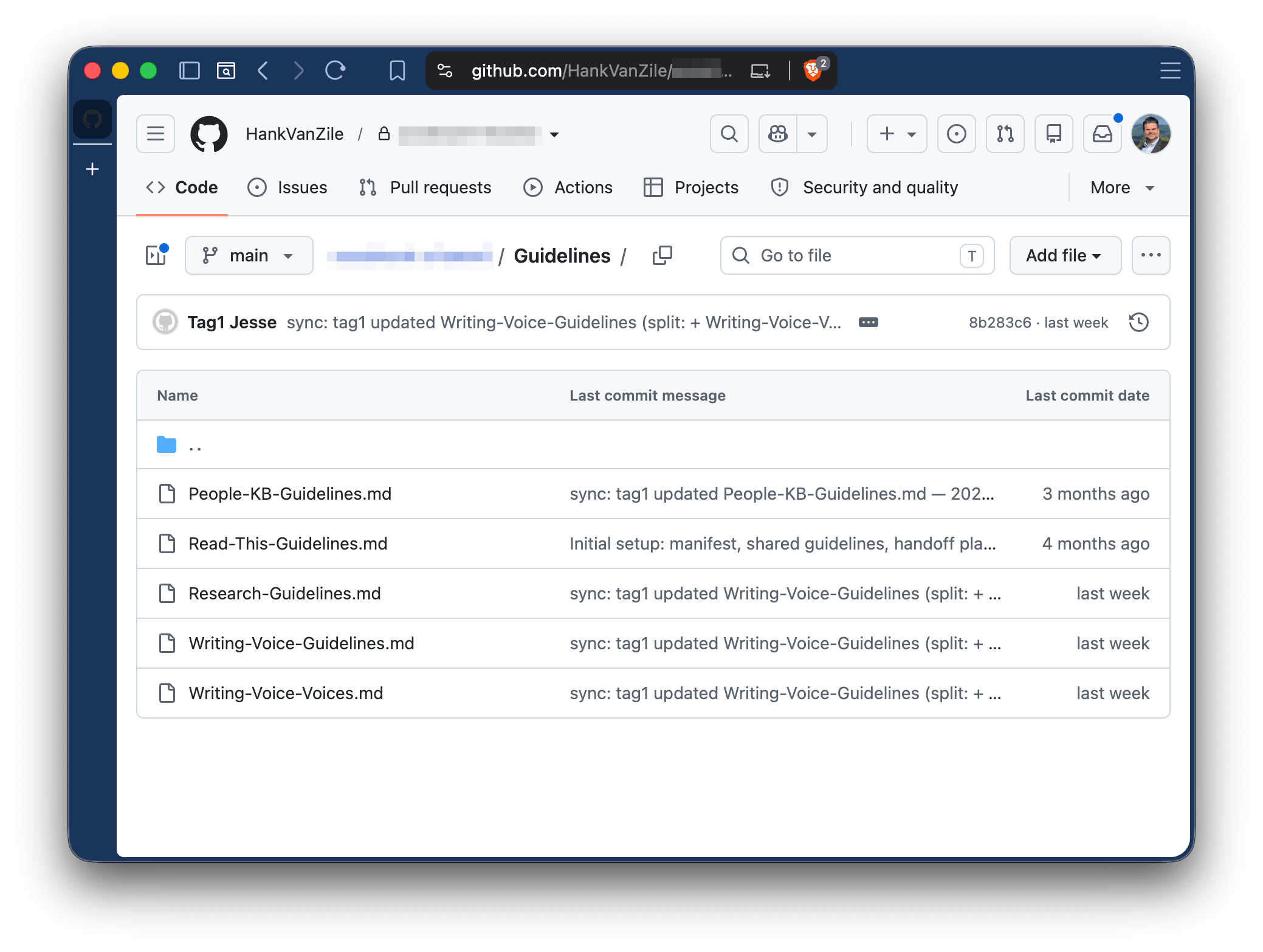
To keep things clean, Jesse suggested each vault store its cloned repo in a dot-prefixed folder (.assistant-shared) so git's internals would stay invisible to the sync service watching that vault.
The build went smoothly - suspiciously smoothly, in hindsight. Work Jesse picked up the new or updated instruction files, and Personal Jesse wrote a complete standalone set adapted from the work versions with everything Tag1-specific stripped out, delivered through the repo itself as a one-time drop. I felt pretty good about the design. Then I said my usual "Good morning, let's get started."
Elegant But Not Easy
The first time the personal vault ran its morning routine, the sync step failed with an error I'd never seen before:
cat: .assistant-shared/.git/config: Resource deadlock avoided
I'm not an expert on macOS filesystem internals, and I have no ambition to become one, so, of course, I asked Jesse for help. In return I got the day's first taste of an AI confidently making things up under pressure. When I reported the error, Personal Jesse told me - quickly and with complete conviction - that the problem was Claude's network allowlist and the fix was to go to Settings → Capabilities → Network to add GitHub. That settings page does not exist. It had fabricated both the diagnosis and the fix.
Here's the short version of what the actual research eventually turned up: that's EDEADLK, an operating system error, not a git error nor a network error. iCloud Drive manages its files through Apple's FileProvider framework, and when a process (like Claude) pokes at .git/ internals directly instead of going through Apple's file-coordination machinery, the read can fail exactly like this.
Jesse's suggested dot prefix didn't protect me because the folder syncing wasn't the problem. Nor was Jesse's bogus networking concern - that wouldn't show up for real until a bit later. iCloud manages the local filesystem whether or not a folder syncs, and getting around it would require a new approach for Personal Jesse.
The Pivot to Ephemeral Clones
Next came a stretch of reasonable ideas that just didn't work. I moved the cloned repo outside of my iCloud Drive folder and symlinked it back into the vault - that fixed the deadlock but broke the sandbox, which can only see the vault folder itself and not follow a symlink to somewhere else. I tried a .nosync extension - that stops cloud sync but doesn't stop the filesystem management, so the deadlock came back. The idea that eventually won was to not keep a local clone at all, and instead freshly clone the repo into the sandbox's /tmp directory at the start of each session. My first attempt at that returned 403 from proxy after CONNECT - an actual networking error. The sandbox's network proxy was blocking github.com.
This was the most maddening stretch of the whole build. I found Claude's network egress settings and added *.github.com. No effect. I added the apex github.com as its own specific entry. No effect. In frustration, I opened egress to all domains. Still blocked. "I opened network egress to ALL DOMAINS. Why is it still blocked?" I groused in chat. Jesse's research turned up multiple open issues about the sandbox proxy ignoring its own allowlist settings, which I flatly refused to accept - "That doesn't add up. They can't have GitHub blocked for every Claude Pro plan!" - and, as it turned out, the settings weren't broken. I just needed to restart the stupid app, a step nothing in the interface suggested.
One GitHub access token later, sometime past 11pm, Personal Jesse's pipeline finally worked: clone into /tmp, read the manifest, pull the guidelines, write the handoff, push it back up.
Work Jesse's sync didn't need to change because Obsidian Sync operates at the application layer and doesn't touch the filesystem machinery at all. Having two different sync protocols for one repo was unnecessarily complex, though, so I moved it to the same ephemeral setup. I'll admit the persistent clone was the design I liked better in theory - clone once, pull small updates, keep state between sessions. But the ephemeral clone has been sturdier in every way: nothing git-related ever touches iCloud, and no stale state or lock files pile up because nothing gets left behind. For a repo holding seven guideline files and a handoff doc, a fresh clone costs nothing I can notice.
What It Looks Like Now
The whole system is small: a private git repo the two vaults sync through, a short manifest listing what's allowed to cross, and a one-way daily handoff. Every weekday morning, Personal Jesse wakes up first and pushes a handoff built from my personal calendar and reminders. When Work Jesse builds my day, things like "🏠 Dentist at 2:00" and "🏠 Dad appointment at 3:15" sit in the schedule next to my meetings, prefixed with a little house so I know where they came from. Nothing personal ever lands on the work account, and both assistants stay current with the same methodology.
If you want to try this yourself, what I'd tell you is shorter than the story suggests:
- Keep git repos out of iCloud Drive. It's documented all over once you know to search for it; I just hadn't needed to know before. Verify an AI's confident fix before you chase it.
- A fabricated settings page cost me an evening precisely because it sounded checkable, so I went and checked it.
- Restart the app before deciding a setting is broken. Obvious in retrospect, not at 11pm.
None of it involved writing a single clever prompt. I would never have chosen the ephemeral-clone design on my own, but every obstacle stripped away a piece of state I only thought I needed, so now when a platform limitation pushes me toward something simpler, I let it. The effort that made two assistants trustworthy enough to run my whole week went almost entirely into transport and boundaries and failure handling, the unglamorous plumbing underneath the AI conversation.